Skip to content

Starter guide · Fr 01

Animation

Make drawings move, one frame at a time, starting with pencil and paper.

You can start animating tonight with a pencil and the corner of a notebook, or with a free app on the phone or computer you already own. Animation is the craft of drawing a run of slightly different pictures and playing them back fast enough that they move: a ball bounces, a character blinks, a flag ripples. Beginners work through the same exercises studio animators learned on, starting with a bouncing ball, then a jump, then a walk. The reward is that first playback, when a stack of still drawings suddenly comes alive, and the timing skills you build carry straight over to digital 2D, 3D animation and looping GIFs.

Difficulty
Moderate learning curve
Startup cost
$15-$230
First result
Your first moving flipbook in one evening

Start free

Animate a bouncing ball tonight, free

Install a free frame-by-frame app, turn on onion skin so you can see the previous drawing faintly, and draw a ball falling and bouncing over about 12 frames. A computer with a mouse or a phone with your finger is enough for this first test.

01

How frame-by-frame animation works

Film plays at 24 frames per second, but most hand-drawn animation is shot "on twos": each drawing is held for two frames, so one second of movement takes 12 drawings. You draw the keys first (the main poses, like the top and bottom of a bounce), then the breakdowns that set the path between them, then the inbetweens that fill the gaps. To keep each drawing lined up with the last, animators work on a light table with sheets held on a pegbar, or in software with onion skin showing neighboring frames. The spacing between drawings, not the drawing quality, is what makes a move feel heavy, snappy or floaty, and you check it by playing the drawings back as a quick line test before cleaning anything up.

Hands at a laptop showing an animation program's timeline, with rows of keyframe bars under a small preview
Keys laid out on a timeline
02

Directions to take it

Paper & PegbarTraditional hand-drawn animation on punched paper over a light pad, the way studio animators trained, with phone photos for playback.

Start here

Tape a pegbar to your light pad and animate a ball bouncing across the page on punched paper, then photograph each sheet with your phone and play the photos back as a line test.

2D DigitalThe same frame-by-frame drawing in software with a pen tablet, where onion skin, instant playback and color are built in.

Start here

Redo your bouncing ball in a free app with onion skin on, then try a 12-frame head turn drawn with a pen tablet.

Krita Manual: Animation
3D AnimationPosing a ready-made character rig in free 3D software and setting keyframes, with the computer drawing the frames between them.

Start here

Install Blender, keyframe a sphere bouncing on a plane, then open the Graph Editor and fix its spacing so it slows at the top of each arc.

Blender Manual: Animation
GIF MakingShort looping animations sized for sharing, which you can make in any free app you already use for the other directions.

Start here

Animate an 8 to 16 frame loop (a blink, a flame, a bouncing logo), export it as a GIF and trim it until the file is a few megabytes.

Open a card for its first step. Paper & Pegbar, 2D Digital and 3D Animation each end in a button that adds their gear to your desk; GIF Making runs on whatever kit you already have.

03

Your first week

What you can animate in your first month

Bouncing ball flipbook

The classic first exercise, teaching timing, spacing and squash in about 20 drawings.

Pendulum swing

A simple arc that shows how drawings bunch up at the ends of a move and spread out in the middle.

Flour sack jump

A shapeless sack that crouches, leaps and lands, so you practice weight and anticipation without drawing a character.

Looping blink or flame

A short cycle that repeats seamlessly, perfect for exporting as a GIF to share.

Hands pointing over printed storyboard sheets covered in small sketched shots and handwritten notes
Planning shots before drawing frames
04

Skills to focus on early

Timing

How many drawings a move takes, which decides whether it feels quick or slow.

Spacing

How far apart those drawings sit, which creates easing in and out of a pose.

Arcs

Most natural movement follows curved paths, so trace the path before you draw the frames.

Squash and stretch

Changing shape on impact and speed while keeping the same overall volume.

Posing

Key poses that read clearly as silhouettes, so the move works before you add a single inbetween.

Flipping

Rolling three to five sheets between your fingers to check motion while you draw, instead of waiting until the end.

A 3D-rendered orange cartoon character with springy eyes, waving both hands
A 3D character, posed to read as a silhouette
05

What trips beginners up

  • Expect it to be slow. A few seconds of smooth movement can take an evening, and that is normal, not a sign you lack talent.
  • Early tests look stiff or jittery. That usually comes from even spacing or drawings that change size, and it improves fast once you start flipping.
  • Starting with a full character short is the most common way to quit. Stick to balls, sacks and pendulums for the first few weeks.
  • Do not polish line work before the line test. Rough, quick drawings let you fix timing cheaply.
  • Number every drawing in the corner as you go, or the stack will end up out of order.
06

Setting up a paper animation desk

  1. Choosing a light pad: Get one at least as large as your paper, with adjustable brightness and an even glow with no bright spots at the edges.
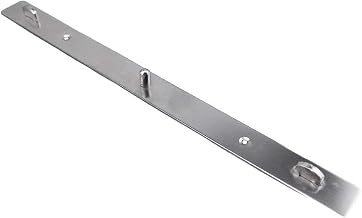
  2. Choosing a pegbar: Match it to your paper's punch. Studio paper uses one round center peg with a flat peg either side, while budget comic-style paper often uses three round pegs, and paper only lines up on the pegbar it was punched for.
  3. Mount the pegbar along the bottom edge of the light pad with tape so it cannot shift, since a pegbar that moves throws off every drawing after it.
  4. Before each session, set the pad just bright enough to see two or three sheets through, check that the pegs sit snugly in the holes, and stack your paper in order.
  5. For line tests, fix your phone above the desk pointing straight down, so every sheet is shot from the same spot and the playback does not wobble.
07

Where to learn

Start with a free video series on the 12 principles of animation: it names each idea this page touches (timing, arcs, squash and stretch) and shows it moving. When a beginner app starts to feel limiting, free studio-grade 2D software adds exposure sheets, camera moves and color styling, so you never have to pay to keep going.

08

What the kit covers

Everyone starts with flipbook pads, light blue pencils for rough drawings and a good book on the principles, which together cost less than a single video game. Pick the add-on for your direction: hand-drawn work on paper needs a light pad, pegbar, punched paper and a way to hold your phone steady for line tests; digital 2D needs a pen tablet; and 3D animation in free software is much easier with a numeric keypad for switching views. GIF making needs nothing beyond whichever kit you already use.

Close-up of a stylus sketching a rough figure on a tablet screen
The 2D Digital desk: a pen and a screen
09

Set up your desk

Compare the options on each line, then set your tiers in the cart. Clicking a card selects it there, and clicking the selected card again takes that line out. Flipbook pads, pencils and the book start in the kit; the gear for Paper & Pegbar, 2D Digital and 3D Animation waits behind its add-on.

Blank flipbook pads

Essential · Consumables

Flipbooks are the quickest way to see your drawings move with no setup, and drawing each page over the one beneath teaches you to change a little at a time.

budget
Blank Flipbooks (3-pack) - Great for animation, sketching, and cartoon creation. White cover can be designed!

Blank Flipbooks (3-pack) - Great for animation, sketching, and cartoon creation. White cover can be designed!

4.8(277)

$7.45

View on Amazon
mid-range
PRIMBEEKS Premium Blank Flip Book Paper, 4 pack(90 sheets, 180 pages per pack) No Bleed Flip Books Kit, 4.5" x 2.5" Animation Paper for Animation, Sketching, Cartoon Creation

PRIMBEEKS Premium Blank Flip Book Paper, 4 pack(90 sheets, 180 pages per pack) No Bleed Flip Books Kit, 4.5" x 2.5" Animation Paper for Animation, Sketching, Cartoon Creation

4.6(819)

$9.99

View on Amazon
premium
A AIFAMY 10 Pack Blank Flipbook for Animation, Sketching, and Cartoon Creation, 4" x 5.55'' Animation Flip Book Mini Sketch Pad for Kids, 120 Pages (60 Sheets)

A AIFAMY 10 Pack Blank Flipbook for Animation, Sketching, and Cartoon Creation, 4" x 5.55'' Animation Flip Book Mini Sketch Pad for Kids, 120 Pages (60 Sheets)

4.6(317)

$16.99

View on Amazon

Pick plain pads with no light box bundled. Bound pads with a page count of 50 or more give room for several tests.

Light blue pencils for rough drawings

Essential · Drawing supplies

Animators rough out motion in light blue, then draw the final line over it in graphite, and the same pencils are what you sketch thumbnail poses with before animating in any app.

budget
12 Pcs Checking Pencils Erasable Colored Pencils Pre-Sharpened 2 HB with Erasable Tops for Checking(Blue)

12 Pcs Checking Pencils Erasable Colored Pencils Pre-Sharpened 2 HB with Erasable Tops for Checking(Blue)

4.2(50)

$6.99

View on Amazon
mid-range
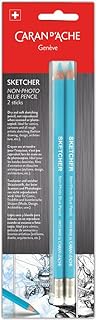
Caran d'Ache Sketcher Non-Photo Blue 2 Pc Blister Card (903.302 )

Caran d'Ache Sketcher Non-Photo Blue 2 Pc Blister Card (903.302 )

4.7(1.9K)

$10.51

View on Amazon
premium
Col-Erase Erasable Colored Pencil, 12-Count, Blue (20044)

Col-Erase Erasable Colored Pencil, 12-Count, Blue (20044)

4.6(848)

$11.49

View on Amazon

Light blue is the classic choice for roughs. Any ordinary graphite pencil you already own works for the clean line.

Animation principles book

Recommended · Learning

A good reference shows timing charts, walk diagrams and worked examples you can copy frame by frame, which free videos rarely lay out in one place.

budget
Cartoon Animation with Preston Blair, Revised Edition!: Learn techniques for drawing and animating cartoon characters (Collector's Series)

Cartoon Animation with Preston Blair, Revised Edition!: Learn techniques for drawing and animating cartoon characters (Collector's Series)

4.8(447)

$19.88

View on Amazon
mid-range
The Animator's Survival Kit: A Manual of Methods, Principles and Formulas for Classical, Computer, Games, Stop Motion and Internet Animators

The Animator's Survival Kit: A Manual of Methods, Principles and Formulas for Classical, Computer, Games, Stop Motion and Internet Animators

4.8(7.3K)

$21.17

View on Amazon
premium
Character Animation Crash Course!

Character Animation Crash Course!

4.8(508)

$27.99

View on Amazon

Buy used to save money; older editions teach the same principles.

LED light pad for animation

Situational · Core equipmentAdd-on: Paper & Pegbar

Lit from below, you can see two or three sheets at once, so each new drawing lines up with the ones before it.

budget
LitEnergy A3 Copy Light Board Tracing Box, Ultra-Thin Adjustable Drawing Tablet USB Power Artcraft LED Tracer Pad for Diamond Art Painting Accessories, Streaming, Sketching, Animation, Stenciling

LitEnergy A3 Copy Light Board Tracing Box, Ultra-Thin Adjustable Drawing Tablet USB Power Artcraft LED Tracer Pad for Diamond Art Painting Accessories, Streaming, Sketching, Animation, Stenciling

4.3(767)

$26.99

View on Amazon
mid-range
Rechargeable A3 Light Pad for Diamond Painting,Tracing Light Box with Stand and Clip,3 Colors Stepless Dimmable and 6 Levels of Brightness Light Board for Artists,Drawing,Sketching,Animation

Rechargeable A3 Light Pad for Diamond Painting,Tracing Light Box with Stand and Clip,3 Colors Stepless Dimmable and 6 Levels of Brightness Light Board for Artists,Drawing,Sketching,Animation

4.7(721)

$44.99

View on Amazon
premium
Artograph LightTracer 2 LED Light Box for Tracing and Drawing, 18 x 12 In

Artograph LightTracer 2 LED Light Box for Tracing and Drawing, 18 x 12 In

4.4(282)

$99.99

View on Amazon

Get one at least as large as your paper, with dimmable brightness.

Animation pegbar

Situational · Core equipmentAdd-on: Paper & Pegbar

The pegbar holds every punched sheet in exactly the same position, so drawings stay registered when you flip and when you shoot them.

budget
DGQ Comic Tools Ruler 3 Pin Animation Peg Bar Stainless Steel

DGQ Comic Tools Ruler 3 Pin Animation Peg Bar Stainless Steel

4.6(8)

$7.88

View on Amazon
mid-range
Honbay Comic Tool Stainless Steel Ruler Fixed Paper Feet for Fixing Animation Position Paper

Honbay Comic Tool Stainless Steel Ruler Fixed Paper Feet for Fixing Animation Position Paper

4.5(126)

$8.79

View on Amazon
premium
Sewroro Animation Peg Bar, 3 Hole Punch Paper Positioning Tool, Stainless Steel Fixed Paper Ruler for Drawing, Sketching, Comic Drafting and DIY Cartoon Creation, 9. 84 x 0. 79 in

Sewroro Animation Peg Bar, 3 Hole Punch Paper Positioning Tool, Stainless Steel Fixed Paper Ruler for Drawing, Sketching, Comic Drafting and DIY Cartoon Creation, 9. 84 x 0. 79 in

4.6(7)

$15.59

View on Amazon

Buy the pegbar and paper made for the same three-hole punch. Studio paper and the budget punched paper sold for comics use different peg shapes and spacing, so they are not interchangeable.

Punched animation paper

Situational · ConsumablesAdd-on: Paper & Pegbar

Thin, pre-punched sheets fit straight onto the pegbar and let light through, so you can stack several drawings and still see the bottom one.

budget
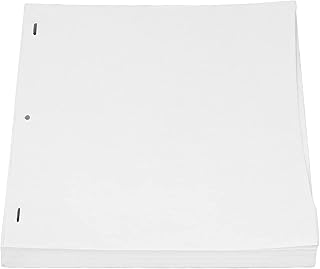
Animation Paper Flip Book Kit with Holes Animation Positioning Paper Manga Comic Drawing 70G White Paper Drawing Paper Animation Kit for Art Color Digital Animating Work (Pack of 200 Sheet)

Animation Paper Flip Book Kit with Holes Animation Positioning Paper Manga Comic Drawing 70G White Paper Drawing Paper Animation Kit for Art Color Digital Animating Work (Pack of 200 Sheet)

4.5(215)

$19.94

View on Amazon
mid-range
200 Sheets Translucent Punched Animation Paper

200 Sheets Translucent Punched Animation Paper

4.4(7)

$21.29

View on Amazon
premium
Translucent Animation Paper Punch Design, 200 Sheets, Multi Purpose, Wide Application

Translucent Animation Paper Punch Design, 200 Sheets, Multi Purpose, Wide Application

5.0(2)

$22.19

View on Amazon

A pack of a few hundred sheets lasts through many short tests. Check the punch matches your pegbar.

Overhead phone mount for line tests

Situational · CaptureAdd-on: Paper & Pegbar

Shooting each paper drawing from the same spot lets you play the sequence back on your phone and judge the timing before cleanup.

budget
SMALLRIG 22" Magic Arm Clamp, Overhead Phone Mount Holder Stand, Camera Arm

SMALLRIG 22" Magic Arm Clamp, Overhead Phone Mount Holder Stand, Camera Arm

4.4(1.9K)

$25.76

View on Amazon
mid-range
Overhead Camera Mount, 3-Section Articulating Desk Arm with C-Clamp, 360° Ball Head and Phone Holder for Top-Down Video Recording, Webcams and LED Lights

Overhead Camera Mount, 3-Section Articulating Desk Arm with C-Clamp, 360° Ball Head and Phone Holder for Top-Down Video Recording, Webcams and LED Lights

4.5(476)

$29.99

View on Amazon
premium
Heavy Duty Aluminum Overhead Phone Mount, 13.7 in Long Phone Stand for Recording, Flexible Articulating Arm Phone Mount for Desk for Live Streaming, Meeting, Cooking – Perfect for Creators

Heavy Duty Aluminum Overhead Phone Mount, 13.7 in Long Phone Stand for Recording, Flexible Articulating Arm Phone Mount for Desk for Live Streaming, Meeting, Cooking – Perfect for Creators

4.4(625)

$32.99

View on Amazon

Look for an arm that clamps to the desk and holds the phone flat, facing straight down.

Pen tablet for digital animation

Situational · Core equipmentAdd-on: 2D Digital

Drawing dozens of frames with a mouse is slow and wobbly; a pressure-sensitive pen lets you draw on the computer the way you would on paper.

budget
UGEE Drawing Tablet Graphics, M708 V2 Upgrade PC&Computer&Android Device,10x6 Inch Ultra Thin Large Graphic for PC, Pad with 8 Hot Keys Upgrade 16384 Level Battery-Free Stylus for Unleash Creativity

UGEE Drawing Tablet Graphics, M708 V2 Upgrade PC&Computer&Android Device,10x6 Inch Ultra Thin Large Graphic for PC, Pad with 8 Hot Keys Upgrade 16384 Level Battery-Free Stylus for Unleash Creativity

4.4(1.5K)

$40.99

View on Amazon
mid-range
GAOMON M10K Drawing Tablet, 10x6 with Touch Ring, 10 Keys & 8192 Pressure

GAOMON M10K Drawing Tablet, 10x6 with Touch Ring, 10 Keys & 8192 Pressure

4.4(17.9K)

$42.99

View on Amazon
premium
GAOMON PD1161 Drawing Tablet with Screen, Tilt, 8 Shortcut Keys, 11.6" FHD

GAOMON PD1161 Drawing Tablet with Screen, Tilt, 8 Shortcut Keys, 11.6" FHD

4.3(6.8K)

$149.99

View on Amazon

A small or medium screenless tablet is plenty for a beginner. Skip it if you animate on a phone or tablet with your finger or a stylus you already own.

USB numeric keypad

Situational · AccessoriesAdd-on: 3D Animation

3D software uses the number pad to snap between front, side and top views, which you do constantly while posing a character, and most laptops have no number pad.

budget
NOOX USB Numeric Keypad, Number Pad, 10 Key USB Keypad with Type C Adapter

NOOX USB Numeric Keypad, Number Pad, 10 Key USB Keypad with Type C Adapter

4.4(847)

$9.99

View on Amazon
mid-range
Perixx PPD-202 Wired 19 Keys Slim Numeric Keypad, Big Print Font, Silent Notebook Scissor Key Number Keypad with Tab Key and Num Lock, Black

Perixx PPD-202 Wired 19 Keys Slim Numeric Keypad, Big Print Font, Silent Notebook Scissor Key Number Keypad with Tab Key and Num Lock, Black

4.4(1.3K)

$11.79

View on Amazon
premium
havit Bluetooth Number Pad Wireless Numeric Keypad Numpad 26 Keys Portable Mini Financial Accounting Rechargeable Numeric Pad for Windows Laptop Desktop, PC, Notebook (Black)

havit Bluetooth Number Pad Wireless Numeric Keypad Numpad 26 Keys Portable Mini Financial Accounting Rechargeable Numeric Pad for Windows Laptop Desktop, PC, Notebook (Black)

4.3(3.5K)

$19.99

View on Amazon

Skip it if your keyboard already has a number pad. Orbiting the view also uses an ordinary mouse with a clickable scroll wheel, which most people already have.